Features

Everything a handover needs, and two things only we do.

Files, QR codes, SSO, an API and a verifiable audit trail are table stakes we match. Encrypted-to-a-person and destroyed-on-ticket-close are why teams switch.

Watch

Both sides of a handover, start to finish.

Request side

Get a password from a user.

Share side

Send a password to someone.

The handover

Request a credential in three clicks.

  • Templates for Windows password, email account, BitLocker key or a custom field set.
  • Short-lived, single-use links with a configurable window and optional challenge code.
  • Held-to-peek reveal that clears itself after a set time (60 seconds by default).
  • Explicit recipients and teams, with an optional org recovery key.
safehanded.com/app/requests
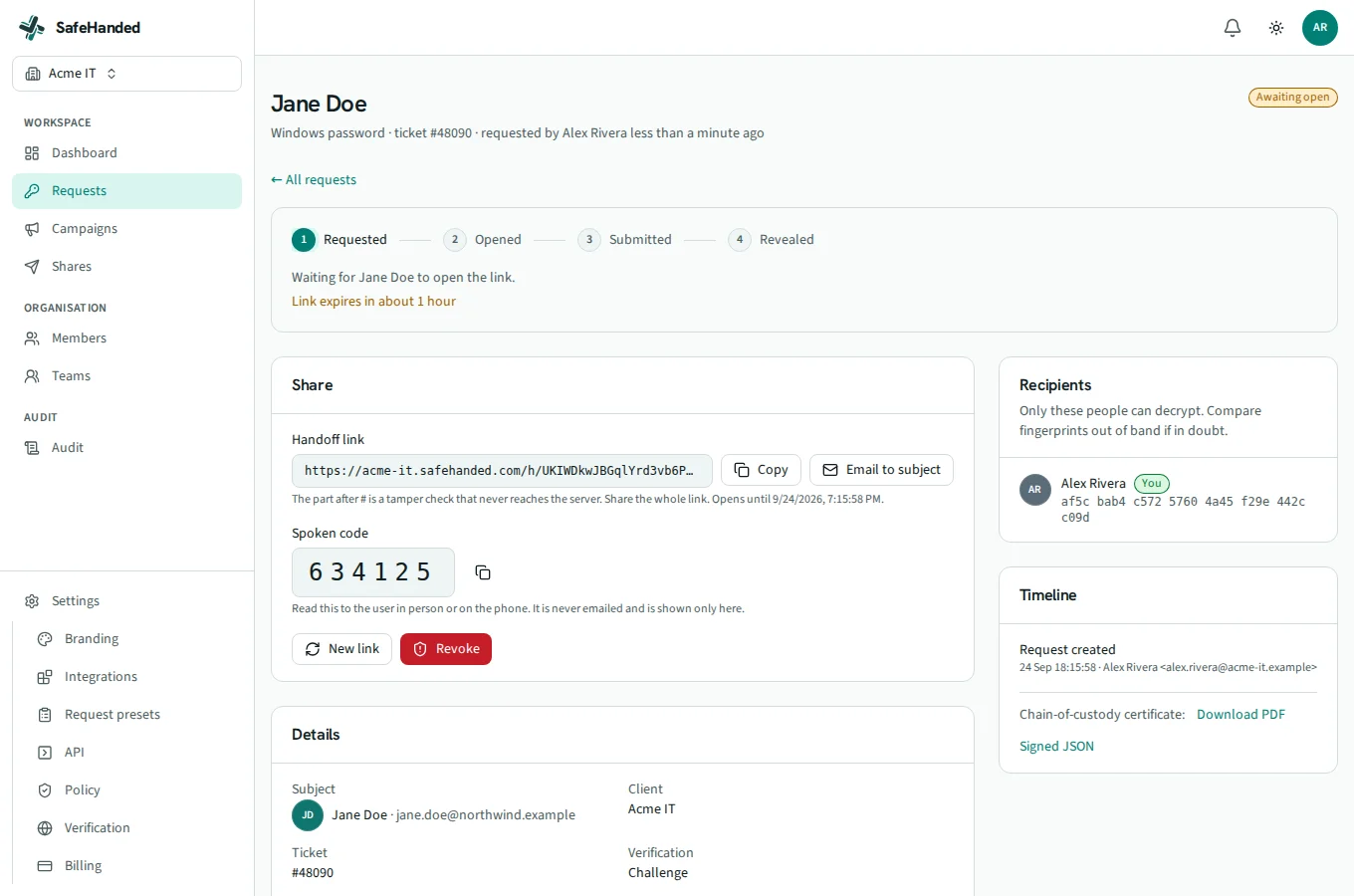
A request detail page in SafeHanded: subject, ticket, status, recipients and the lifecycle timeline.
Request detail, subject, recipients, status and timeline.
Send a secret

Hand one over the other way.

  • One-time shares of a password, note or files, encrypted in your browser: copy the link, show a QR code, or have it emailed or texted.
  • View limits (3 by default) and expiry, with an optional passphrase or a one-time code.
  • An emailed or texted link arrives locked: you give the key on a call, as key words, or as the whole link.
Secure delivery

Sealed to the person, not the link.

  • Recipients set up a passkey once; after that, what you send them is sealed to their passkey and safe to email as it is.
  • Not set up yet? By default the secret waits, sealed to your key, and you're told when they're ready.
  • Secrets to teammates are sealed to their vault, with nothing to set up. Other shares keep the key in the link.
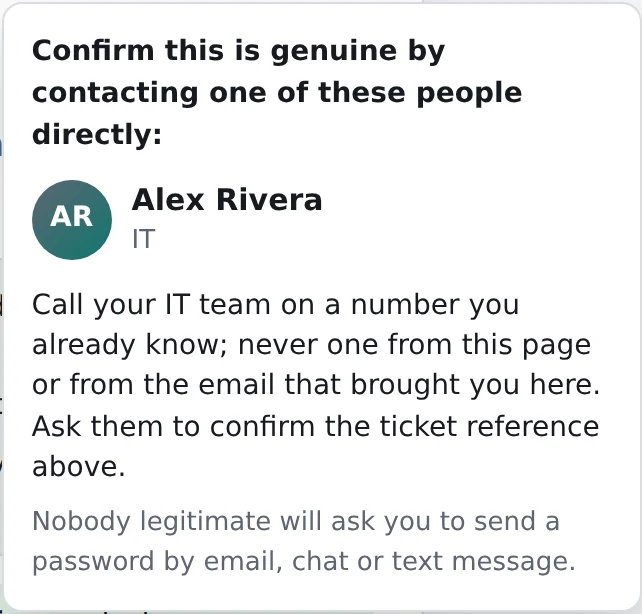
help.acme-it.example/h/…
The handover page's verify-with-IT panel: named IT contacts to call and confirm the request is genuine before entering anything.
Verify-with-IT, named contacts and a spoken code.
Identity & verification

Prove it's really IT.

  • Passkeys are mandatory for staff, with a WebAuthn step-up on every reveal.
  • A spoken challenge code read out of band, plus an emailed one-time code to the directory address.
  • Active subject verification, a call-back code or verified channel, as org or per-client policy.
Ticketing & delivery

It lives in the ticket.

  • Fully supported adapters for Jira Service Management, Freshservice, Zendesk, ServiceNow, ManageEngine ServiceDesk Plus (Cloud), Zoho Desk and Freshdesk. In preview: HaloPSA, ConnectWise PSA, Syncro, Atera, SuperOps and HubSpot. Anything else connects through the API, or a generic webhook (also in preview).
  • Private notes written back to the ticket, and auto-purge when the ticket closes.
  • The link goes by email, text or a reply on the ticket (text and ticket reply from Team), never the secret. Slack and Teams tell your team when something happens (from Team).
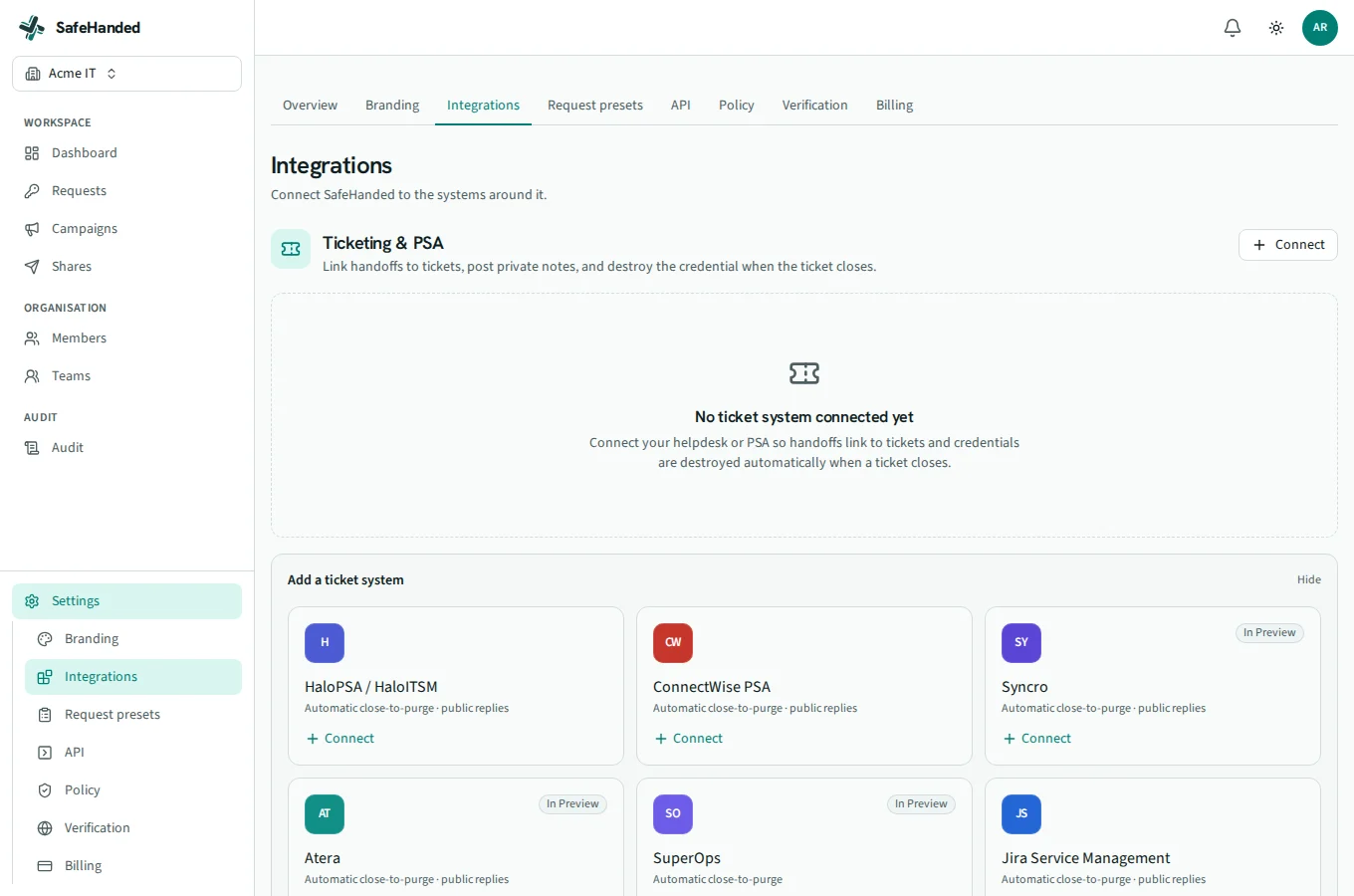
safehanded.com/app/integrations
Connecting an integration: every helpdesk and PSA in one list, then sign-in and directory, email, SMS and SIEM.
Every helpdesk in one list, then sign-in, email and SIEM.
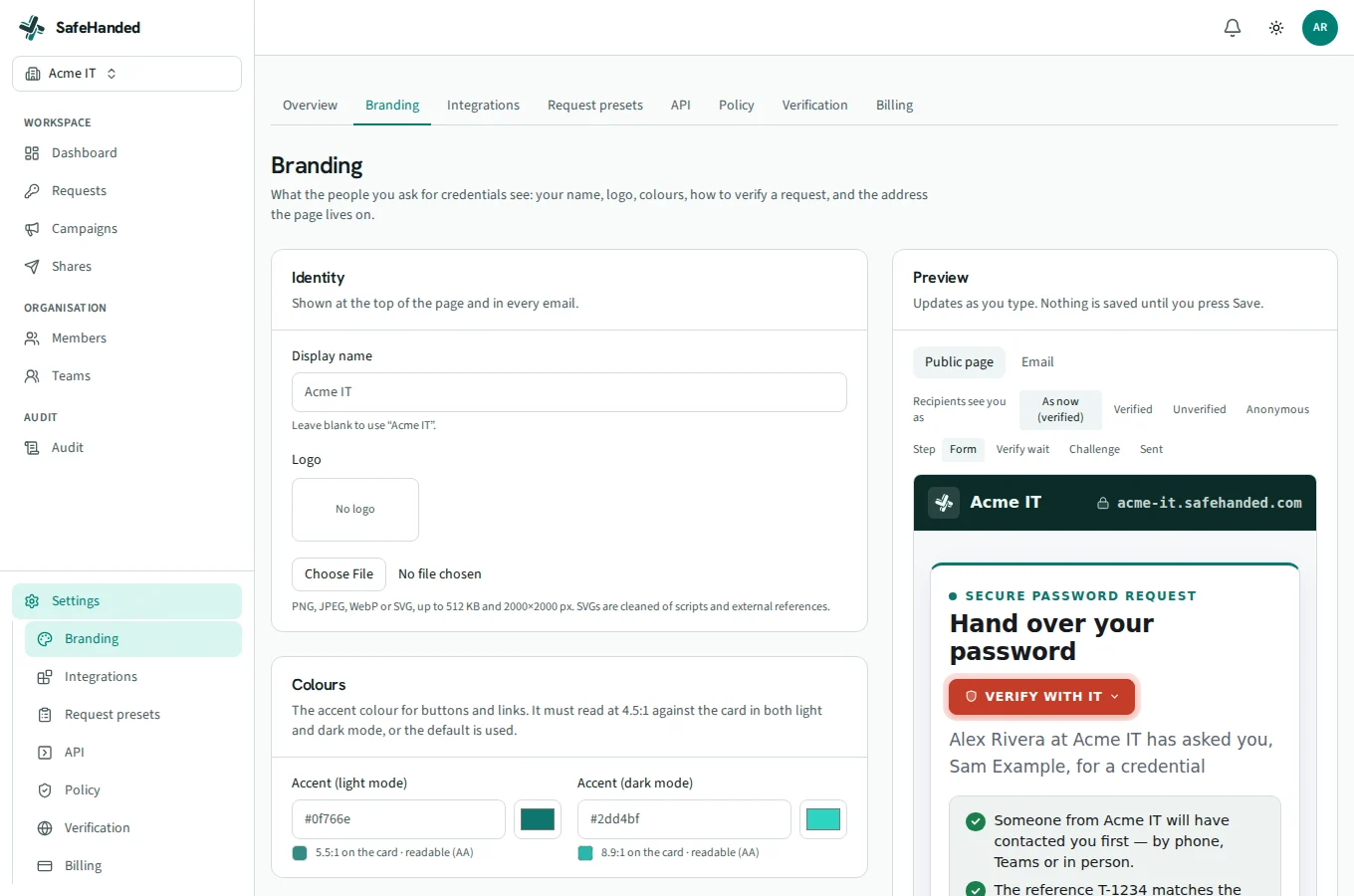
safehanded.com/app/branding
The branding editor: per-client logo, colours, contacts and a live preview of the handover page.
Per-client branding, with a live preview of the real page.
For MSPs & scale

Run it for many clients, as them.

  • Clients with their own branding, custom domains, contacts and directory.
  • Bulk campaigns to request the same credential from many subjects at once.
  • A public API (OpenAPI 3.1) and signed webhooks to wire it into your stack.
IDENTITY

SSO & provisioning

From Team, your own sign-in connection: Microsoft Entra, Google Workspace, OpenID Connect or SAML, plus SCIM provisioning with group→role mapping. On Free, sign in with Microsoft, Google or email, with passkeys.

AUDIT

Proof for auditors

A log of who handled every password that can't be quietly edited, plus a signed certificate for any handover. See the security model →

RECOVERY

Nothing stranded

Portable keys unlocked by passkey or recovery phrase, explicit recipients, org recovery key and tested offboarding.

Get started

The security model is the same on every plan, including Free.

The crypto, passkeys and audit chain are identical on every tier. Start free and see.